FCAT
ESI LINKEVE ONLINEFLEET COMMAND

Run the fleet from one screen.

FCAT puts your live fleet, system intel, pings and combat alerts on a single command deck. It runs entirely on your machine. Nothing leaves your PC.

FREE & OPEN SOURCE // AUTO-UPDATING // BUILT-IN DEMO MODE

COMMAND CENTER
FCAT Command Center
01 / The whole job

Everything you need to FC.

No more bouncing between a map site, a killboard, your intel channels and a stack of overlays. FCAT pulls the picture into one deck.

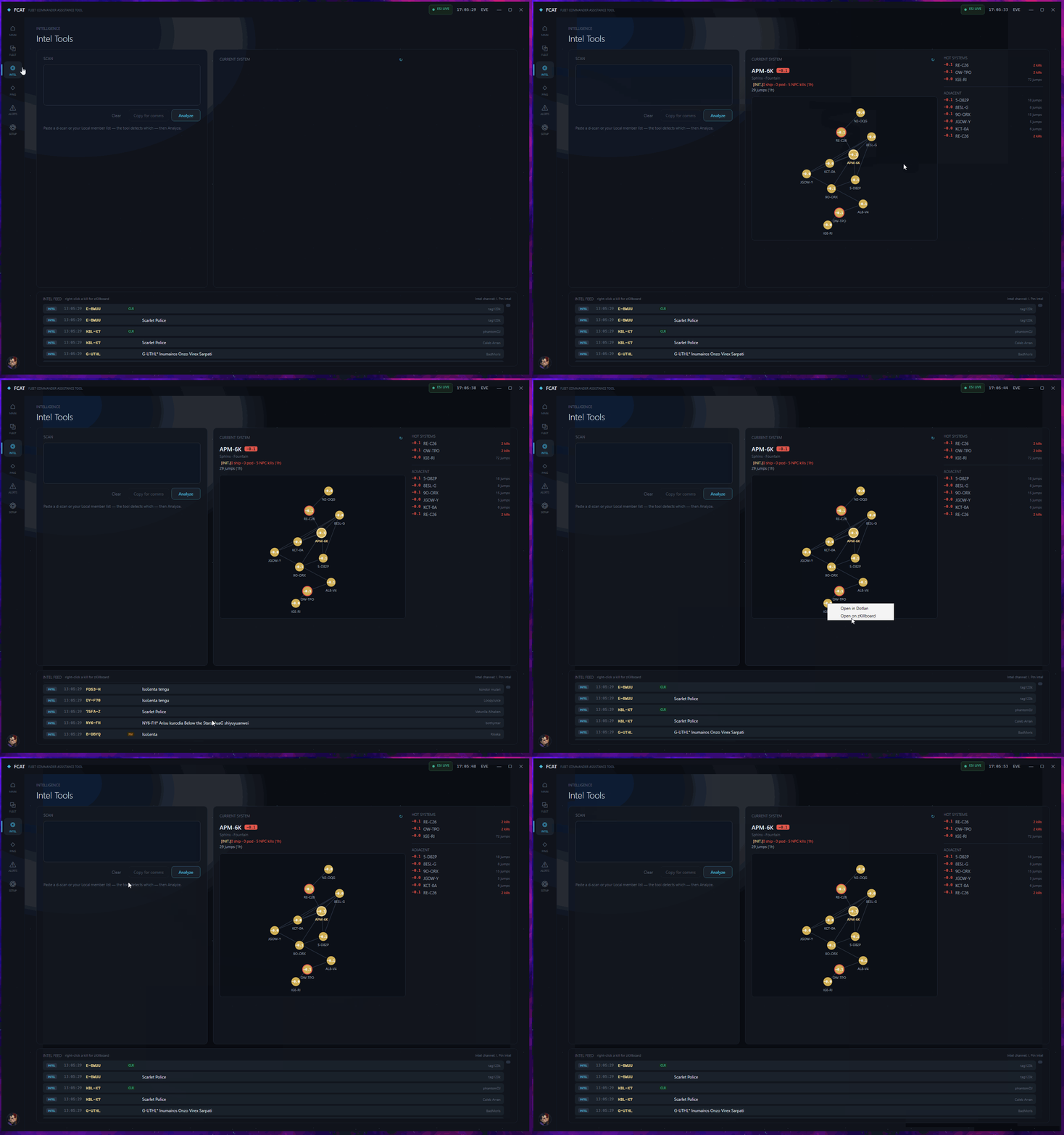
Intel tools
Intelligence

Read the field before you commit

Your current system rendered as a constellation map from real ESI positions, colored by sovereignty, with a live feed of what is dying nearby.

  • Hot-system heat from kills, jumps and ratting activity
  • zKillboard kills merged with your in-game intel channel
  • Right-click any system for Dotlan or zKillboard
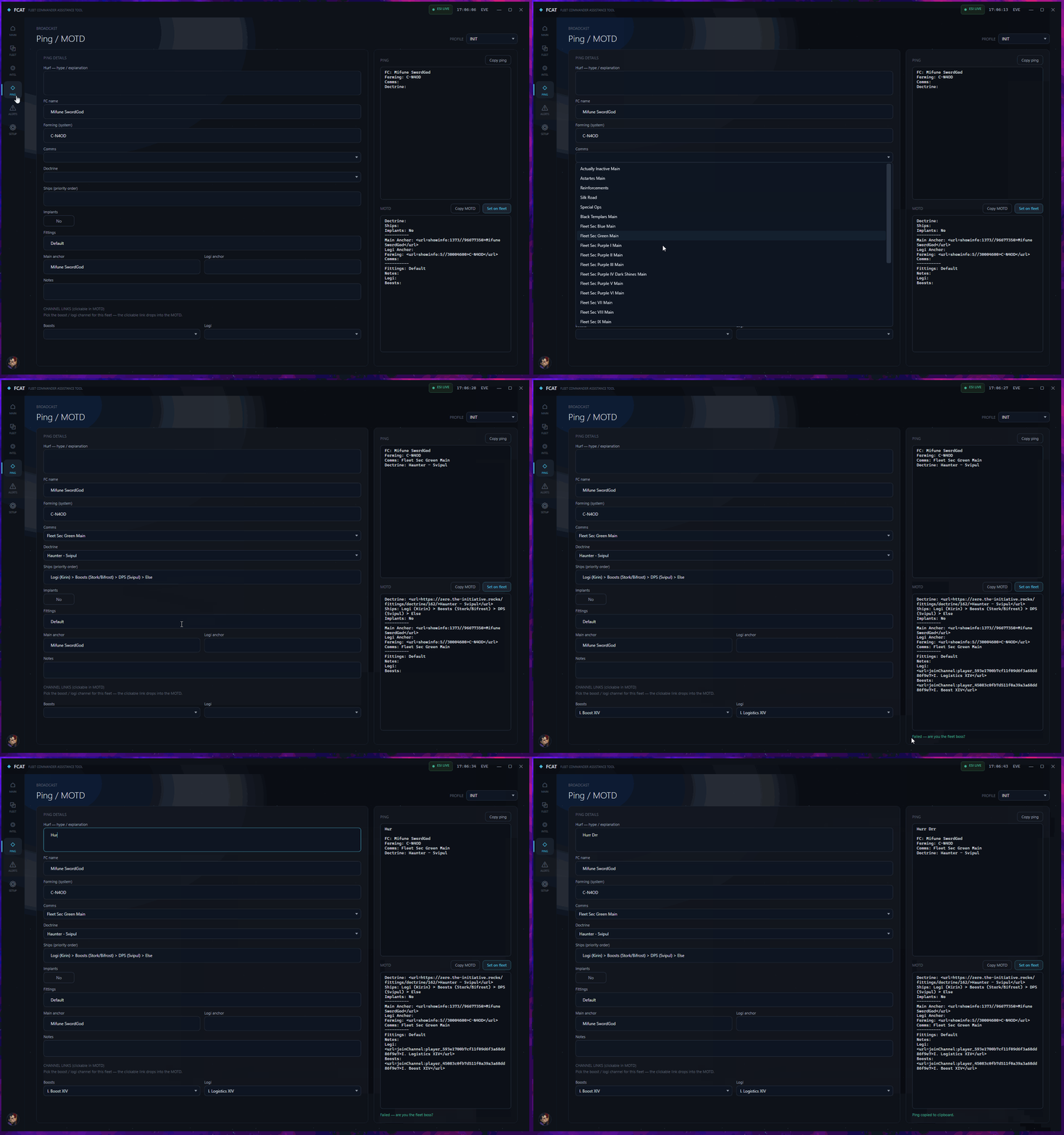
Ping and MOTD
Broadcast

Pings and MOTD without the fuss

Compose a formup ping and a formatted fleet MOTD from shared fields, then push the MOTD straight to your fleet over ESI.

  • Clickable in-game channel and anchor links
  • Alliance profiles with their own doctrines and comms
  • Forming-system autocomplete shared with the staging tracker
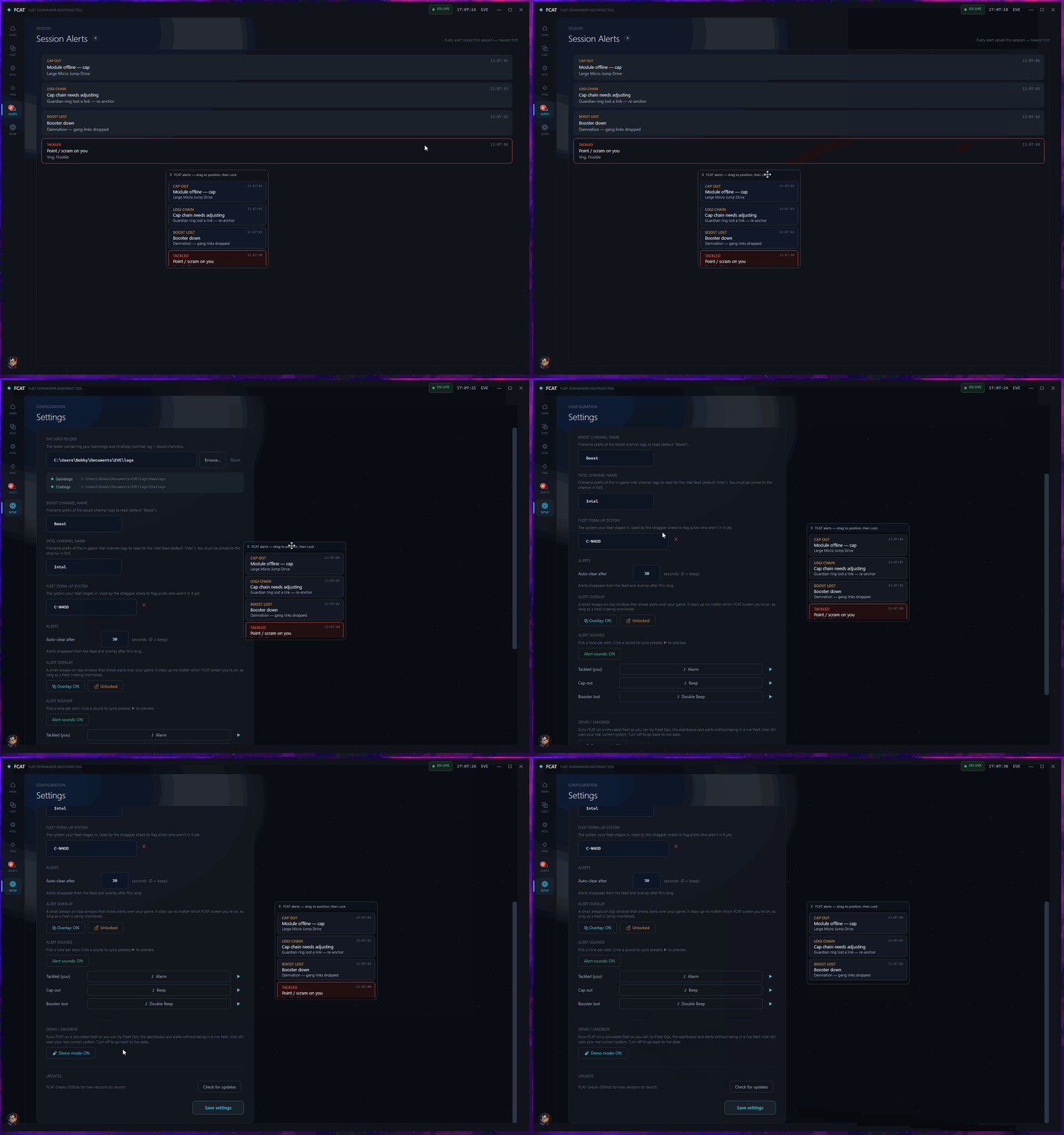
Alerts and overlay
Alerts

Calls you cannot miss

FCAT watches your combat log and the fleet, and surfaces the moments that matter, on screen and on an overlay that floats over the game.

  • Tackle, cap-out, boost loss, logi-chain and DPS-loss alerts
  • Draggable overlay you can lock to click-through
  • A full session feed plus the after-action report

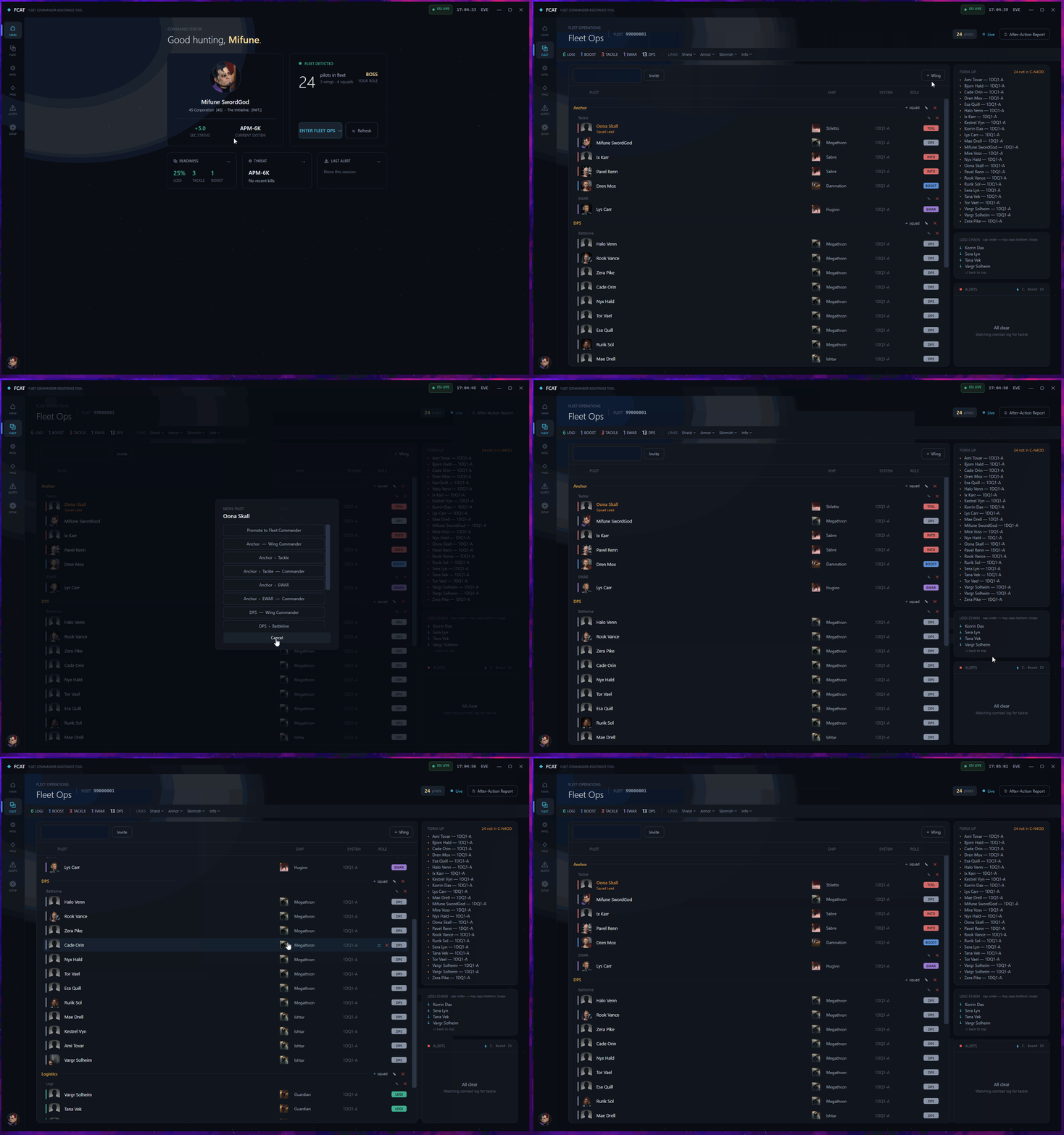
And the rest of the deck: a live roster with roles, composition and cap-chain readouts, form-up and straggler tracking, boost coverage, a multi-character alt board, and an after-action report.
02 / How it works

Running in under a minute.

01

Install

Download and run. It installs in seconds and quietly updates itself from then on.

02

Log in

Sign in once with EVE's official SSO in your browser. No passwords are ever stored.

03

Take command

Form your fleet and FCAT keeps the whole live picture on one screen. Try it first with Demo Mode.

03 / Why local

100% on your machine.

FCAT aggregates the official EVE API and your own game logs into one live picture. There is no backend and no telemetry.

LOCAL

Runs locally

Everything happens on your computer. No FCAT server, no cloud account, no data collection. Your fleet and your logs stay with you.

PRIVATE

Your data, yours

FCAT reads the official ESI API and the logs EVE writes to disk, then keeps the result on screen. It never sends any of it anywhere.

SAFE

Safe to run

It never touches game memory and never automates an input. Open source, so you can read exactly what it does.

04 / About

Built by an FC, for FCs.

FCAT started where my career did. Five years ago I moved into IT as a cybersecurity analyst, and the idea that stuck with me was aggregation: pulling scattered, noisy signals into one place until the picture becomes obvious. FCAT is that idea pointed at fleet command. It is also how I learn. I build it with AI as a partner, treating every feature as something to understand and sharpen rather than just copy. This project is my way to grow as a developer and give the EVE community a tool I wish I had behind the FC chair.

05 / Roadmap

Where it's headed.

PLANNED

Code signing

Clears the Windows SmartScreen warning on install.

PLANNED

Route danger readout

Kills and jumps per hop when moving the fleet.

EXPLORING

Sovereignty & structure timers

Active contests and timers in your space.

EXPLORING

Discord ping webhook

Post your formup ping straight to your alliance channel.

IDEAS UNDER EXPLORATION, NOT PROMISES.

06 / FAQ

Good to know.

Is it safe to use? Will I get banned?

FCAT only uses the official ESI API and reads the logs EVE writes to disk. It does not read game memory or automate any input, and it is fully open source so you can verify that.

Does my data go anywhere?

No. FCAT runs entirely on your machine. There is no server, no account and no data collection.

Will Windows warn me when I install it?

The beta is not code-signed yet, so Windows SmartScreen may show a warning. Click "More info" then "Run anyway". Code signing is on the roadmap.

How do updates work?

Install once. FCAT checks for new versions on launch and updates itself in the background.

What does it cost? What do I need?

Free and open source under the MIT license. Windows 10 or 11, and an EVE account to log in with.

07 / Get started

Take command.

DOWNLOAD FOR WINDOWS

Install once. It keeps itself up to date.